The focus operating system
Stop guessing when
you focus best. See it.
You have a timer, a planner, maybe an accountability app. Each runs one slice of your day, then leaves you alone for the hard part. Focus Capsule runs the whole day on evidence and shows you, from your own sessions, when you actually focus best.
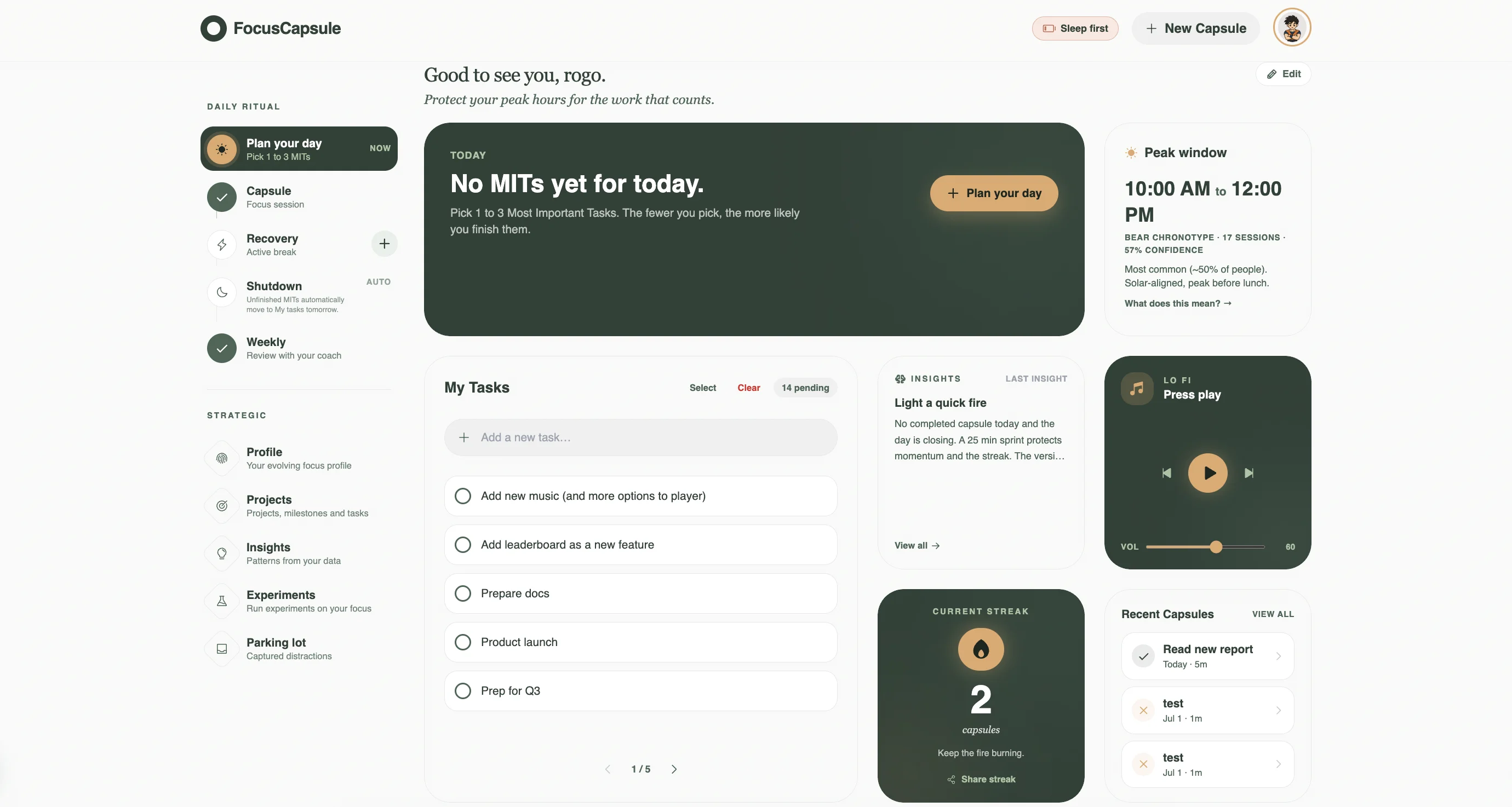
The problem
Most focus apps stop where the work begins.
One.
Every productivity app gives you a timer and hopes for the best. A countdown is not a system. The hard parts are choosing the right task, recovering between sessions, and learning what actually works for you.
Two.
You do not know what works for you because no one shows you. Apps collect your sessions and hand you back a streak. They never tell you when you focus best, which task types you underestimate, or which blockers steal your week.
Three.
Willpower is not a system. A countdown assumes you can push through any hour of any day. It says nothing about your energy, your peak window, or the recovery that makes the next deep session possible.
A day with Focus Capsule
Six moments,
one coherent system.
- 07:30
Launch ritual
Pick up to three Most Important Tasks and write an if then plan for the hardest one.
- 09:15
The capsule
One task, one timer, one window of attention. The app restates your intent, then the deep work block begins.
- 10:45
Distraction parking
An idea pops up that is not the task. Press D, drop it in the parking lot, stay in the work.
- 11:30
Active recovery
Capsule ends. The app suggests a 10 minute walk routine instead of a phone scroll.
- 14:00
Quick pulse
After the session, log a one tap energy and a blocker tag. This is how the system learns.
- 18:30
Shutdown
The day closes itself. Anything unfinished carries to tomorrow automatically, so nothing is lost and there is no end of day chore.
A look inside
Three moments that close the loop.
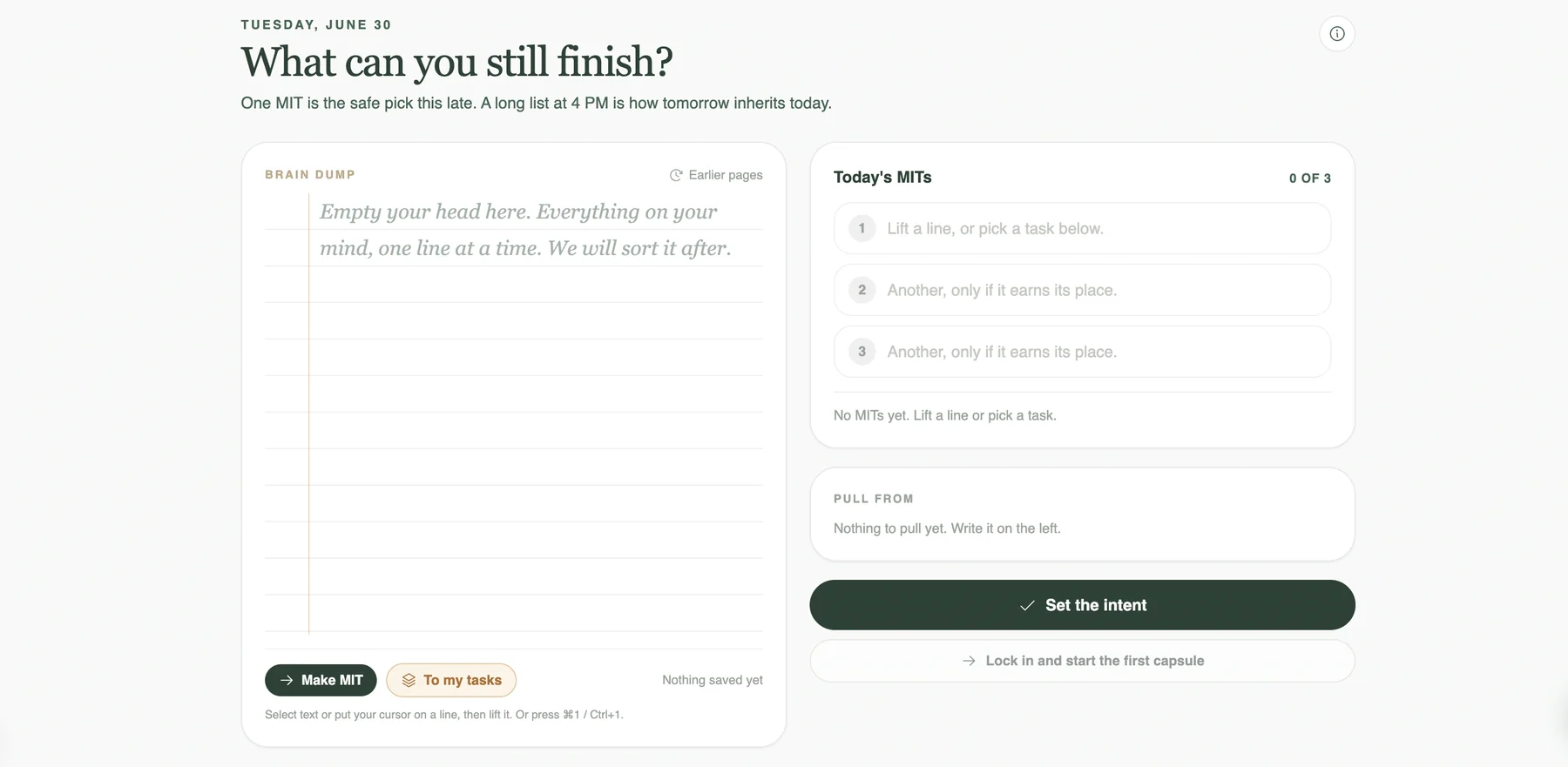
Plan with intent.
Each morning, write up to three Most Important Tasks and an if then plan for the hardest one. Implementation intentions roughly double follow through (Gollwitzer 1999).
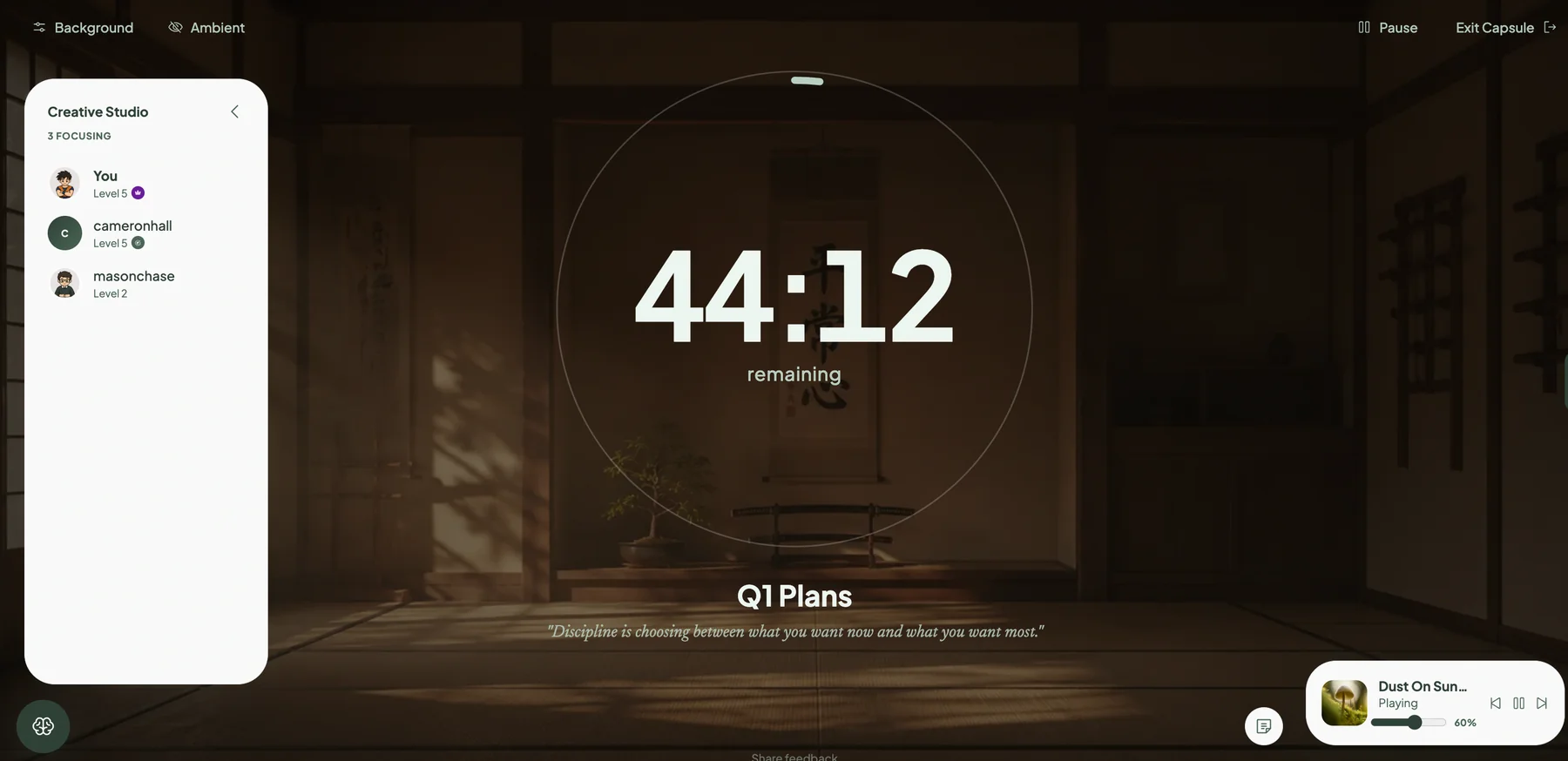
Work in a calm capsule.
One task, one timer, one window of attention. Press D to park a distraction without breaking the session. Modes for sprint, deep, flow, and recovery.
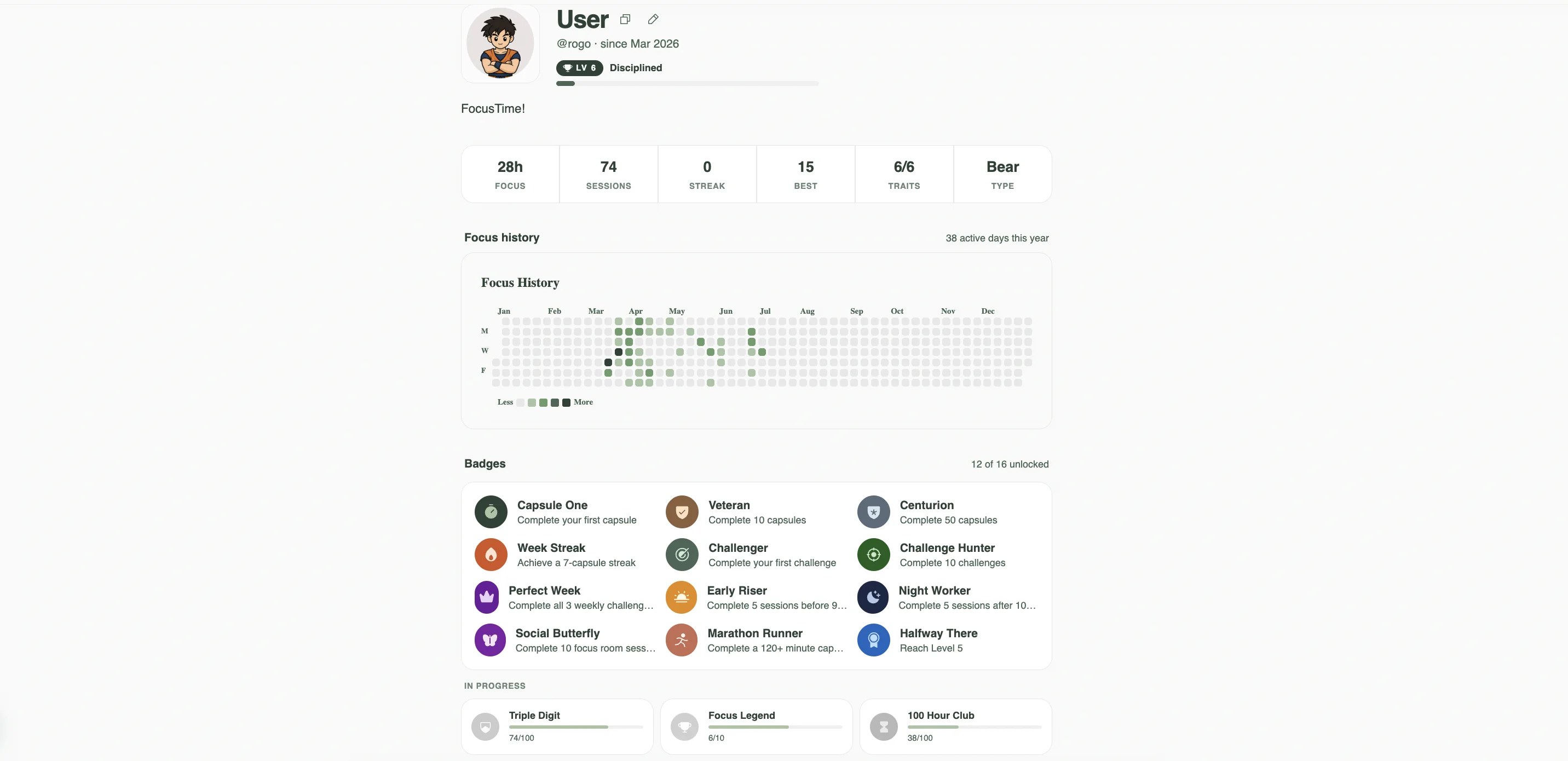
Learn from your own data.
Every session feeds a living profile: a year of focus history, badges you unlock along the way, and six evolving traits like chronotype and follow through. Insights cite the research behind them, and the profile is yours to share at your own link.
The methods
Every feature traces back to a published finding.
Your data, in plain language.
After about ten sessions, the dashboard starts surfacing patterns no one else can see.
Each insight cites the research behind it and the sample size from your own work. You stay the source of truth.
Insight for you
Your peak window is 8:30 to 11:00.
Across 42 capsules, sessions starting in this window had 23% higher completion than the rest of the day. Schedule your hardest MIT here.
Roenneberg, 2003 chronotype research. Sample: 42 of your sessions.
Focus rooms
Work alone, together.
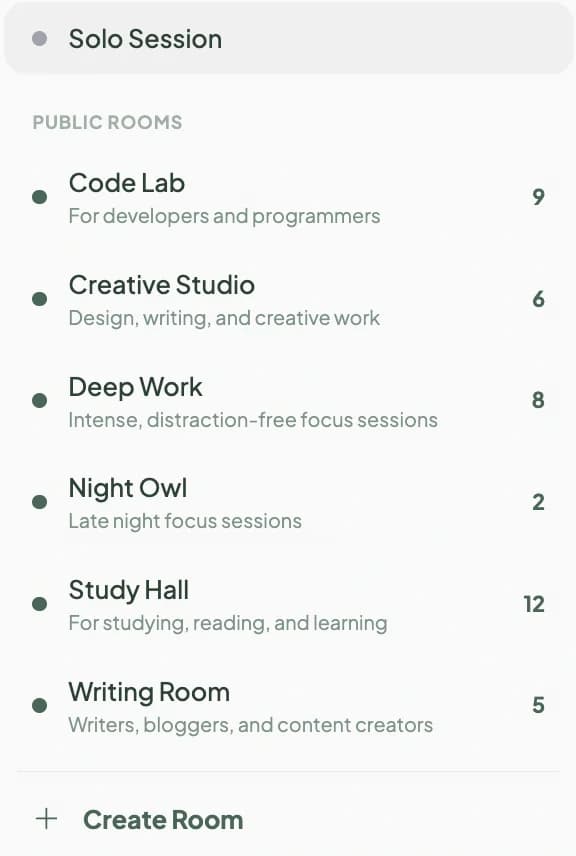
Join a room and see who else is heads down right now. Live avatars, each person's task and timer, and a focusing or away status. No chat, no feed, no noise. Just the quiet accountability of a shared desk.
Drop into a public room, or share a private invite code with your team.
Progress
Momentum you can see.
Every focused minute earns XP. Cross a threshold and you climb from Beginner to Focus Legend, unlocking avatars and backgrounds on the way.
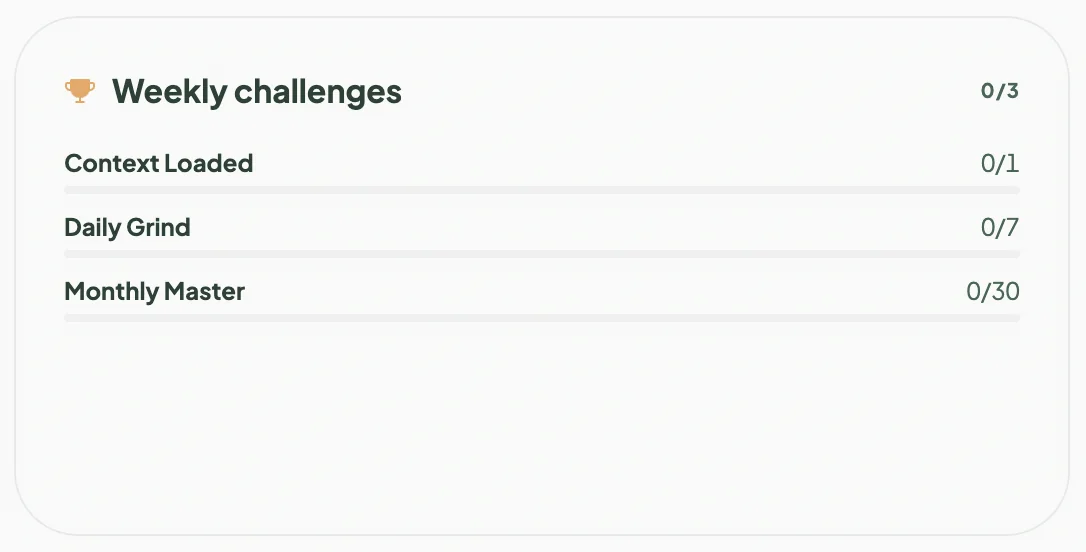
Three fresh challenges land each week, and a clean sweep earns the Perfect Week badge. 17 badges in all, and a streak that counts the days you show up.
A different category
Not a better timer, a different shape entirely.
| Capability | Focus Capsule | Forest | Focusmate | Sunsama |
|---|---|---|---|---|
| Daily intent ritual (MITs + if then) | Yes | Not offered | Partial | Partial |
| Distraction parking lot | Yes | Not offered | Not offered | Not offered |
| Energy and blocker logging | Yes | Not offered | Not offered | Not offered |
| Personalized insights from your data | Yes | Partial | Partial | Partial |
| Active recovery library | Yes | Not offered | Not offered | Not offered |
| Shutdown ritual | Yes | Not offered | Not offered | Yes |
| Live focus rooms | Yes | Yes | Yes | Not offered |
| Cites the underlying research | Yes | Not offered | Not offered | Not offered |
What we will not do
A short, public list. We would rather be small and honest than loud and incoherent.
- 01
We will not include binaural beats.
The published evidence is mixed and often industry funded. We will not sell what we cannot defend.
- 02
We will not hide our methods.
Click any insight and see the math, the sample size, and the paper behind it.
- 03
We will not manufacture urgency.
No guilt trips, no engineered nudges, no dopamine tricks to pull you back. You decide when to focus, and when to stop.
- 04
We will not sell or train on your data.
Your sessions, notes, and pulses stay yours.
Pricing
Simple, honest pricing.
The core practice is free, forever. PRO adds the action layer: projects, the coach, experiments, and integrations.
Free
The core practice. No card, no time limit.
- Rituals, capsules, and the parking lot
- All insights and your evolving profile
- Full history and the recovery library
- Public rooms, streaks, and levels
PRO
Stay flexible. Cancel anytime, no questions.
- Projects, milestones, and tasks
- Focus Coach and weekly review
- Experiments and every integration
- Private rooms, cosmetics, early access
LIFETIME
Pay one year. Keep it for life.
- Everything in PRO, forever
- One payment, no renewals
- Lifetime badge and early access
- Price rises after the first 100
No dark patterns. Checkout is handled securely by Paddle, our merchant of record, and you can cancel in one click.
Free forever, and what Pro adds
The whole practice is free. Pro is the layer that acts on it.
Free forever
- Daily Launch ritual with Most Important Tasks
- Adaptive deep work capsules
- Distraction parking lot
- Energy and blocker logging
- All insights, each tied to real research
- Your evolving profile: focus history, badges, and traits
- Your full history, forever
- Active recovery library
- Public focus rooms for silent coworking
- Streaks, levels, and weekly challenges
- Shutdown ritual with automatic carry over
Pro adds
- Projects: plan projects, milestones, and tasks
- Focus Coach, with the weekly review inside
- N of 1 experiments on your own focus
- Every integration, Notion and more to come
- Private and team rooms
- New avatars and backgrounds
- Early access to new features
Questions
What is actually free?
The core practice, forever and with no card: every ritual, deep work capsules, all your insights, your profile, your full history, the recovery library, and public rooms. We never hold your own data hostage.
What does PRO add?
The action layer: projects with milestones and tasks, the Focus Coach with the weekly review, N of 1 experiments, integrations, private rooms, and new cosmetics. LIFETIME is the same PRO, paid once.
Can I cancel the PRO plan?
Anytime, in one click. You keep full access until the end of the period you already paid for.
Is LIFETIME really for life?
Yes. Pay 60 EUR once and keep PRO forever. Limited to the first 100 members; after that it moves to an annual plan.
How are payments handled?
Securely through Paddle, our payment provider and merchant of record. Cards and common payment methods are supported.